Starting Operation
- Products that are only sold in AUS and NZ: Use a residual current device (RCD) with a nominal residual current of 30 mA or less.
- Pay attention to the mains voltage. The voltage of the power source must match the voltage specified on the rating plate of the power tool.
- Only push the rotational direction switch (5) when the power tool is not in use.
The rotational direction switch (5) is used to change the rotational direction of the power tool. However, this is not possible while the on/off switch (7) is being pressed.
Clockwise rotation: To drill and drive in screws, slide the rotational direction switch (5) downwards on the left-hand side and upwards on the right-hand side at the same time.
Anti-clockwise rotation: To loosen and unscrew screws and nuts, slide the rotational direction switch (5) upwards on the left-hand side and downwards on the right-hand side at the same time.


- You can press the gear selector switch (9) with the power tool running at a low speed. You should not do this at full load or maximum torque, or when the tool is not in use, however.
You can preselect two speed ranges with the gear selector (9).
If the gear selector (9) cannot be swivelled all the way to the stop, turn the drive spindle slightly with the drill.
Gear | Position | Speed | Application range |
|---|---|---|---|
Gear I: |
| Low | For working with a large drilling diameter or for screwdriving. |
Gear II: |
| High | For working with a small drilling diameter. |


To start the power tool, press and hold the on/off switch (7).
Press the lock-on button (6) to lock the on/off switch (7) in this position.
To switch off the power tool, release the on/off switch (7); or, if the switch is locked with the lock-on button (6), briefly press the on/off switch (7) and then release it.
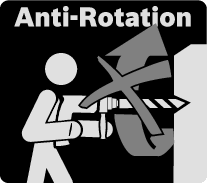
The power tool is equipped with an overload clutch (anti-rotation) to limit high torque reactions.
- If the application tool jams or snags, the power transmission to the drill spindle will be interrupted. Always hold the power tool firmly with both hands to withstand the forces this may create and adopt a position with stable footing.
- Switch the power tool off immediately and remove the application tool if the power tool becomes blocked. Switching on when the application tool is blocked may cause high torque reactions.
(GSB 24-2)

The rapid shut-off function (KickBack Control) gives the user greater control over the power tool and offers them better protection than power tools that do not have KickBack Control. The power tool will switch off if it suddenly and unforeseeably rotates around the drilling axis.
To switch the tool back on, release the on/off switch and then press it again twice.
- It will no longer be possible to switch the power tool on if the KickBack Control function is faulty. Have the power tool serviced by a qualified repair person using only original replacement parts.
With the thumbwheel for electronic speed preselection (8), the required speed/impact frequency can be selected even if the machine is running.
The required speed/impact rate depends on the material and the working conditions; it can be ascertained through practical tests.
The exact speed depends on the position of the electronic speed preselection thumbwheel (3) within areas I-III and on how firmly the on/off switch (7) is pressed. The following table provides more detailed information about the speed.
Position of the electronic speed pre-selection thumbwheel (3) | Speed in first gear | Speed in second gear |
|---|---|---|
I | 270–480 | 900–1600 |
II | 480–690 | 1600–2300 |
III | 690–900 | 2300–3000 |
For the values specified, there is a tolerance of ±3 %.

To drill with speed preselection, set the selector switch (4) to the "drilling" symbol. The required speed can be selected with the thumbwheel (3); it can also be adjusted during operation.

To drive in screws with torque control, set the selector switch (4) to the "screwdriving" symbol. The effective torque at the drill spindle can be variably adjusted with the thumbwheel (3) even during operation:
I = low torque, III = high torque.
The maximum speed is automatically adapted to the adjusted torque.
If the preselected torque is reached during screwdriving, the machine switches off; the application tool no longer rotates. If the load on the machine is then removed with the on/off switch (7) still pressed, the application tool continues to run only at very low speed for safety reasons.
After briefly releasing the on/off switch (7), the next screw can be driven in with the same torque.

For screwdriving without torque limitation, turn the thumbwheel (3) all the way to the right. This setting is required when the torque in position III is not sufficient.